
One date moves and six deadlines move with it
Aug 22, 2026 · 6 min read
The sellers signed on Thursday instead of Tuesday. Two days. You change the contract date on the file and move on.
Six deadlines moved with it, and not all of them by two days. Three moved by four. Three now land on a weekend. And the walkthrough, which a reflex would push two days later, stayed exactly where it was.
Here is the whole thing on one contract.
Hypothetical contract. Each bar runs from the old deadline to the new one.
The contract
It's made up, but every day count sits inside a range you will see in real agreements. A financed buyer, and you had the chain written out for acceptance on Tuesday, Aug 4, 2026.
- Earnest money due in 3 business days. One to three business days after acceptance is typical.
- Inspection period of 7 business days. The common band is five to ten business days, though California's standard form defaults to 17 days.
- Repair response of 5 days, counted from the end of the inspection period.
- Homeowners association (HOA) documents due in 7 days.
- Appraisal in 17 days. Anywhere from 10 to 14 up to California's default of 17 is normal.
- Financing commitment in 30 days, the short end of 30 to 60 (HomeLight, US Realty Training).
- Closing written as a fixed date, Friday, Sep 18, 2026, with the final walkthrough the day before. Around 24 hours before closing is the usual advice.
Everything on that list except closing is an offset from something. The sellers sign Thursday, Aug 6.
| Deadline | Acceptance Aug 4 | Acceptance Aug 6 | Why |
|---|---|---|---|
| Earnest money | Fri, Aug 7 | Tue, Aug 11 | 3 business days; the new count crosses a weekend |
| HOA documents | Tue, Aug 11 | Thu, Aug 13 | 7 calendar days |
| Inspection ends | Thu, Aug 13 | Mon, Aug 17 | 7 business days; crosses one more weekend |
| Repair response ends | Tue, Aug 18 | Sat, Aug 22 | 5 days after inspection ends, so it inherits the four |
| Appraisal | Fri, Aug 21 | Sun, Aug 23 | 17 calendar days |
| Financing commitment | Thu, Sep 3 | Sat, Sep 5 | 30 calendar days; Monday is Labor Day |
| Final walkthrough | Thu, Sep 17 | Thu, Sep 17 | Day before closing |
| Closing | Fri, Sep 18 | Fri, Sep 18 | A written date, not an offset |
The shortcut most of us reach for, adding two days to everything, gets five of those eight lines wrong. It puts earnest money, inspection, and the repair response each two days early. Then it slides closing to a Sunday and the walkthrough to Saturday, Sep 19, the day after the buyer was supposed to close.
The three that catch people
A deadline that counts from another deadline
The repair response has never heard of the contract date. It counts from the end of inspection, so it moves by whatever inspection moved. Here that's four days, because inspection counts business days and the repair response inherits the result.
This is also the expensive one to get wrong. Let the inspection window close without a response in and the buyer can be left buying the house as-is or walking away from the earnest money.
Business days and calendar days in the same contract
The contract date moved two days and the business-day deadlines moved four. Tuesday plus three business days stays inside one week. Thursday plus three crosses a weekend. Redfin's own example is this exact case: accepted on a Thursday, due by Tuesday.
Calendar-day deadlines ignore weekends entirely, which is how the appraisal lands on a Sunday and financing lands on the Saturday of Labor Day weekend. What happens next depends on your form. The Texas resale contract counts calendar days and rolls only the earnest money and option fee to the next business day; every other deadline holds, weekend or not. Other states' forms say something else. Your contract's language governs over any rule of thumb here, including ours, and none of this is legal advice.
The walkthrough counts backwards
It hangs off closing. When closing is a written date, the walkthrough doesn't move at all.
When closing is written as "45 days after acceptance," it does. Closing slides to Sunday, Sep 20, and the walkthrough goes with it. Know which kind of contract you have before you touch the calendar.
To run this on your own deal, the contract date calculator takes the contract date, the closing date, business or calendar days, and your day counts, and prints the chain. It treats business days as Monday to Friday and doesn't skip holidays, so a deadline near one is a question to ask, not an answer.
When the contract date changes
Two minutes, in this order.
- Send the confirming email first. "Confirming acceptance on Thursday, Aug 6, which puts inspection end at Monday, Aug 17 and the repair response at Saturday, Aug 22." The other agent is doing their own arithmetic. You want one set of dates on this deal, in writing, before anyone relies on it.
- Re-derive every offset from the contract, not from your old dates. Note beside each one whether it counts business or calendar days.
- Re-derive chained deadlines from their new parents. Repair response from inspection end, never from the contract date.
- Leave closing-anchored dates alone unless closing itself moved.
- Flag anything that now lands on a weekend or holiday, and read what your form says happens then.
In KeyFlow, steps 2 through 4 are one edit for anything counted in calendar days. Change the contract date on the file and the key dates that count from it are re-derived from the day counts you entered: earnest money, inspection, HOA documents, and homeowners insurance. The chained ones follow their parents: the consideration period (the repair response above) off inspection end, settlement off consideration, and HOA disapproval off HOA documents. Clear to close (three days before closing) and the buyer's walkthrough (the day before) count back from closing, so they stay put.
It also drops what doesn't apply. Mark a buyer as paying cash and the lender, Intent to Proceed, and homeowners insurance come off the file. Mark the inspection waived and the inspection, consideration, and settlement dates go with it, so nobody chases a deadline the contract never had.
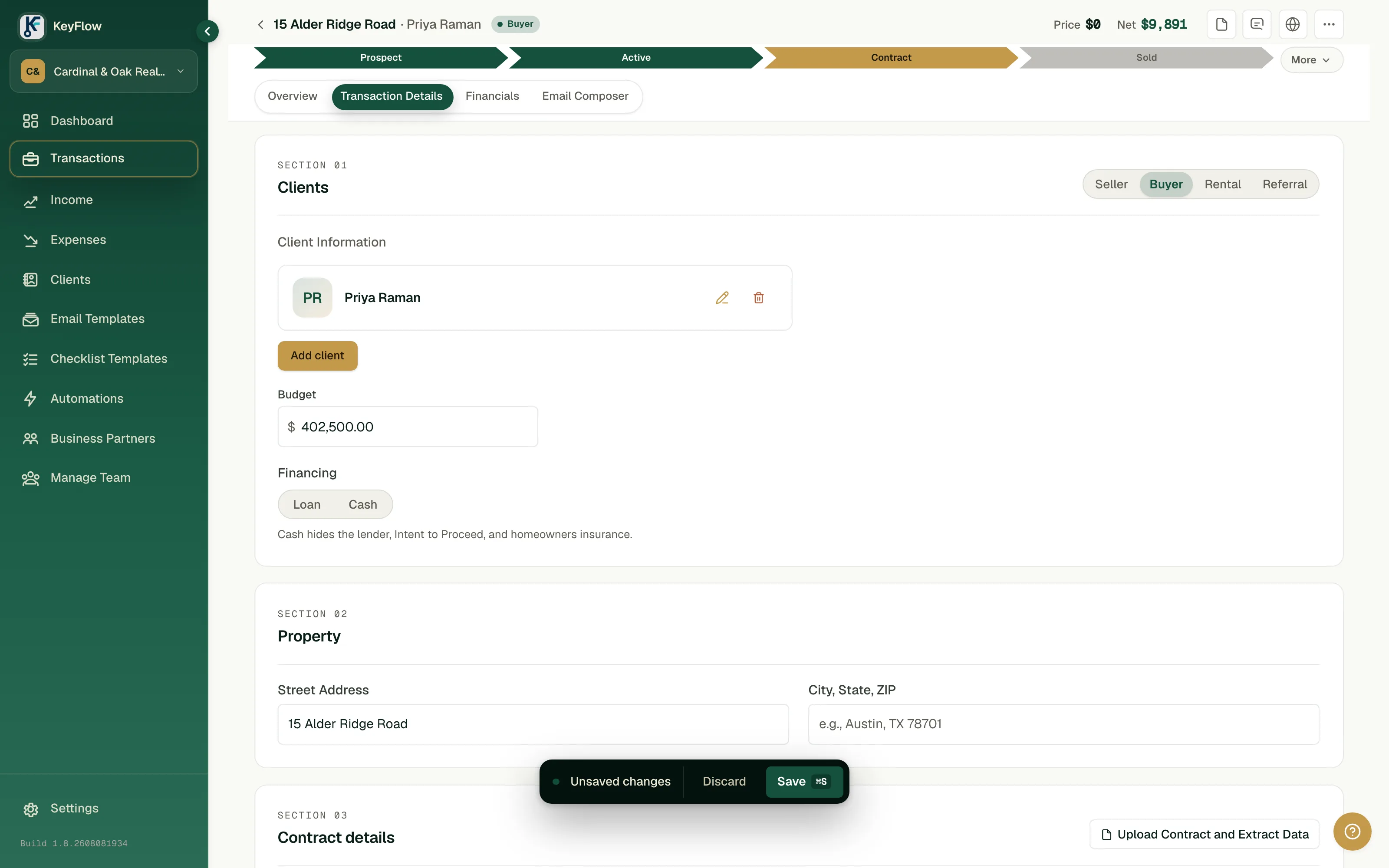
One limit, stated plainly: KeyFlow counts calendar days. For a deadline your contract counts in business days, set the date by hand on the file's Closing path. Anything chained to it follows, and you see which other dates move before you save. A date you set by hand stays where you put it when the contract date changes, so after a move, check those yourself.
- Update every copy of every date: your calendar, the lender, title, and anything you texted the buyer.
- Send the buyer the new dates, and tell them which ones moved by four.
Sources: Redfin: when earnest money is due · Brokerless: how long contingencies last · Relaxed Agent: California contingency removal · HomeLight: buyer contingency periods · US Realty Training: contingencies every buyer should know · Freedom Mortgage: the final walkthrough · MetroTex: when contract deadlines fall on holidays · Top Idaho Real Estate: missed contingency deadline
- contracts
- deadlines
- transactions