
Changing brokerages: what to take with you, and when
Aug 29, 2026 · 10 min read
You have made the decision. The split, the cap, the manager, whatever it was.
The one date in all of this you control is the day you give notice, so count backward from it. A brokerage guide published this summer puts the risk plainly: if the customer relationship management system (CRM) belongs to the brokerage, your access may be revoked the moment your transfer is filed. An office that already knows you are going may not wait that long. Nobody has to be angry for that to happen. It is a line on an offboarding checklist.
Everything that stops at the notice line has to be exported before it. After it, you are asking someone else for your own records.
The checklist
Print this part. The sections under it explain the lines that need explaining, and skip the ones that don't.
30 days out
- Read your ICA for five things: notice period, pending deals, listings on departure, non-solicitation, and who owns leads the company gave you.
- If a large pending commission or a non-solicitation clause with a long tail is involved, book an hour with a real estate attorney now.
- List every system that holds your work, and next to each one write who holds the account.
- Write down every active listing, every pending deal, and every referral fee you are owed.
Two weeks out
- Export contacts from the brokerage CRM as CSV, including tags and notes if the export offers them.
- Export your closed transaction history: address, dates, side, sale price, and your commission on each.
- Pull your own production report from the multiple listing service (MLS) while you can still log in.
- Save copies of templates, checklists, and marketing pieces you wrote yourself.
- Export your contact list and templates from any brokerage email address.
- Find out whose name your business phone number is registered to.
- Open every export. Count rows against what the system says you have.
The week of
- For each pending deal, write down the close date, what the ICA says you are paid, and who manages it after you go.
- Draft the message to clients. Do not send it.
- Download your income and expense records for the current tax year.
The day you give notice
- Give it in writing. Ask which listings they will release and how pending deals will be paid.
- Ask the date your access ends. You should already have everything.
First week at the new brokerage
- Confirm the license transfer, then the MLS transfer.
- Load your exports into a system where you hold the account.
- Update the state license lookup, your portal profiles, and your email signature.
- Keep the original export files untouched, in a folder you will not reorganize.
30 days out: the agreement decides more than you think
Three kinds of things are in play, and only one of them is up for grabs.
Relationships travel. The people who trust you, and what you know about them, are not the brokerage's property.
Listings mostly don't. The listing agreement is between the seller and the brokerage, and you signed it on the broker's behalf. An Arizona real estate lawyer puts it flatly: the agent "has no right to transfer any listing to the new broker". Arizona REALTORS answered the same question in 2023: unless the ICA requires it, a brokerage is not obligated to transfer listings when an agent leaves. Counsel for the Pennsylvania association said the same about listings and pending deals back in 2009, and added the line worth remembering: your bargaining power is highest when you join a broker, not when you leave.
Once you have moved, those listings are exclusively listed with another broker, and the National Association of Realtors' Code of Ethics Standard of Practice 16-4 says Realtors do not solicit a listing that is currently listed exclusively with another broker. That includes listings you wrote yourself.
Your records are the middle. Contact details, closed history, commission records, notes, the templates you spent two years on. Whether you keep them has little to do with the law and nearly everything to do with which system they were typed into.
So sort your systems into this table, honestly.
| What | Who usually holds the account | What to pull |
|---|---|---|
| Brokerage CRM | The brokerage | Contacts as CSV, with tags and notes |
| Transaction or e-signature system the office provides | The brokerage | Your closed deals, as a list |
| MLS | Your MLS, through your broker | Your production report |
| @brokerage email | The brokerage | Contact list, templates, signature |
| Business phone line | Check | Whose name it is in |
| Your spreadsheets, phone, personal email | You | Nothing. Already yours |
If most of the middle column says "the brokerage", that is the whole problem, and it is usually because the brokerage tools were free, already populated, and good. Putting everything there was the sensible decision every single day until this one.
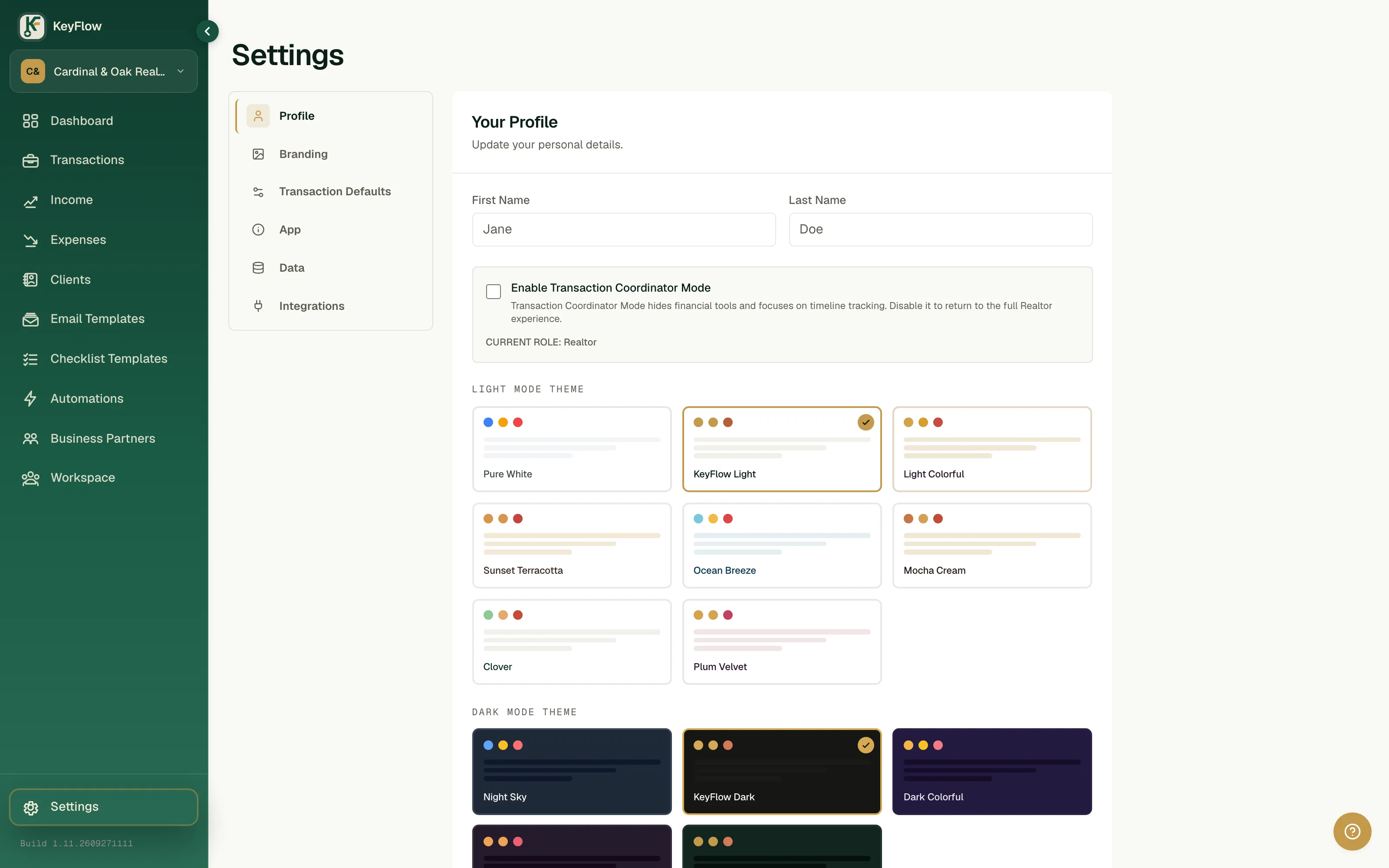
This is the gap we built KeyFlow for. In KeyFlow you are the account holder, whether you work alone or run a team, and the brokerage has no say in who opens it. Under Settings, then Data, one export gives you a zip with your transactions, contacts, vendors (your lenders, title companies, and other agents), income, and expenses as CSV files, plus your email templates as HTML. Nobody approves it. You can run it on a Tuesday in March for no reason at all, which is the point.
It does not carry everything. Uploaded documents are not in the zip, so save the ones you need separately. A deal with more than two clients exports the first two, and the app tells you when it has done that.
Two weeks out: export, then open every file
This is the section that decides how your first month goes. Do it before you tell a single colleague, because the second person who knows is the one who mentions it to the office manager.
Brokerage CRM first. Contacts as CSV, with every field the export offers. Expect the automation to stay behind: one CRM migration guide notes that drip campaigns and action plans do not export via CSV, so screenshot or copy the sequences you want to rebuild.
Then your closed history, from whichever system tracks deals. Address, list and contract and close dates, side, sale price, and your commission on each. Your accountant needs it, and your next broker will ask about your volume when you negotiate the split.
Then the MLS production report, because MLS transfers are paperwork-driven. Canopy MLS, as one example, says a membership transfer cannot be completed until the real estate commission shows your new firm and the broker authorization is in, and that closed, withdrawn, and expired listings cannot be transferred at all.
Then the email address. Contacts, the templates you wrote, your signature. Ask now, quietly, whether the office will forward mail after you leave, and for how long.
Two cautions. Exporting your own contacts and your own production is ordinary. Copying the brokerage's proprietary material, lead lists you did not generate, or other agents' clients is not, and your ICA may say so in writing. And everything you take holds other people's personal information, which you are now responsible for protecting.
Now open what you exported.
Count the rows and compare against what the system says you have. Check that the commission column has numbers in it and not a header over blanks. Check that dates came out as dates. If the only thing on offer is a PDF report, that is a picture of your data, and you should ask support for a CSV with clear column headers.
We learned why this matters on our own software. A screen that sorted deals by closing date quietly left out every deal that had no closing date yet, which in production was 8 of 40 deals, three of them real client files. The records existed. Nobody could see them. A short list that looks complete is the most convincing kind of wrong.
The week of: pending deals and referrals
Pending deals close under the broker whose name is on the agreement. What you get paid on them after you leave is whatever the ICA says, which may or may not be the split you have now. If you can, close the pendings before the license moves; if you cannot, get both brokers to agree in writing on who pays you and who runs the file.
Referral fees you are owed land at the old brokerage too. Licensing rules generally route them through the broker; in Texas, for instance, all referral fees paid to sales agents must be paid through their sponsoring broker. List each one, with the other agent's name and the expected close, so you can ask about it by name in three months.
Draft the announcement to past clients. Hold it. Your non-solicitation clause decides when and to whom it can go, and a client who calls you is not the same thing as you calling them.
The day you give notice
Short, in writing, in person if you can. Ask three questions and write down the answers: which listings will be released, how pending deals will be paid, and when your access ends.
The last answer should not matter by then.
First week at the new brokerage
License transfers usually process within days once the paperwork is in, according to the same guide, and the MLS follows the license. Update your license lookup, your portal profiles, and your email signature the same week.
Then put the exports somewhere you hold the account. If that is KeyFlow, the Data tab also imports: download the sample, line your columns up with it, and upload. Imported rows are always added as new, and nothing already there is overwritten. Keep the untouched originals as well.
Don't expect the old transaction files. Brokers are required to keep them, for three years from closing under California law for example, and that is the brokerage's record, not yours. If you need a specific document for your taxes, ask for a copy of that document.
None of this is legal advice. Agreements differ on pending commissions, listings, and occasionally data itself, and if real money is at stake the answer is a lawyer reading your actual ICA.
Before the next one
The cheapest week to fix this is one when you are not leaving, because then the next move is two weeks of paperwork and not a scramble.
So do it this week. Open an account you hold, put this year's closed deals and your active clients in it, and run the export once to see exactly what comes out.
Sources: Simplihom, how to switch real estate brokerages (Jul 28, 2026) · Combs Law Group, listings belong to the broker, not the agent · Arizona REALTORS, a brokerage is not obligated to transfer listings when an agent departs · Pennsylvania Association of Realtors, transferring licenses and pending deals · National Association of Realtors, Code of Ethics and Standards of Practice · Kee Technology, migrating a real estate CRM · Canopy MLS, changing brokerages · nurtureBEAST, how to switch real estate CRMs · Texas Real Estate Research Center, understanding real estate referrals in Texas · California Business and Professions Code §10148
- ownership
- data
- brokerage